

This is my first test with the LocoFi concept, and I’m very, very impressed!
It’s the DULLHB Gen 3, with onboard LiPo battery.
The sounds is from a real CC70000 and it was very easy to edit and implement with any nice audio editor, like Audacity. Just one thought, if the startup or shut down sound sequence is to long, you got a error message in the APP. I hope it’s possible in the future to get longer timeframes, but for now, just shorten the sound lenght and all is working fine.
A very simple way to implement dynamic smoke to a diesel locomotive.
The Proto-Smoke unit is designed for O-scale I think? And is intended for use with DC powered trains.
It has a small circuitboard with current limit control for the heater, and some kind of speed regulation for the fan motor. It just normaly connects to track power and works right out of the box.
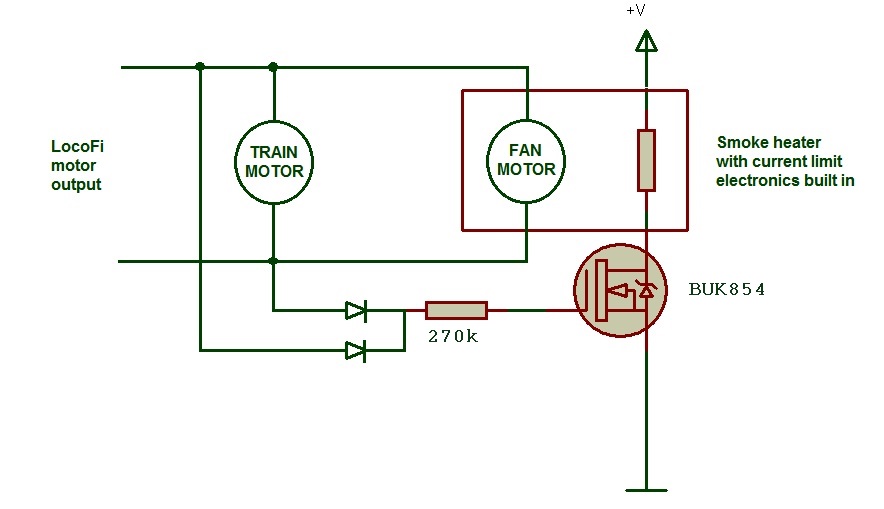
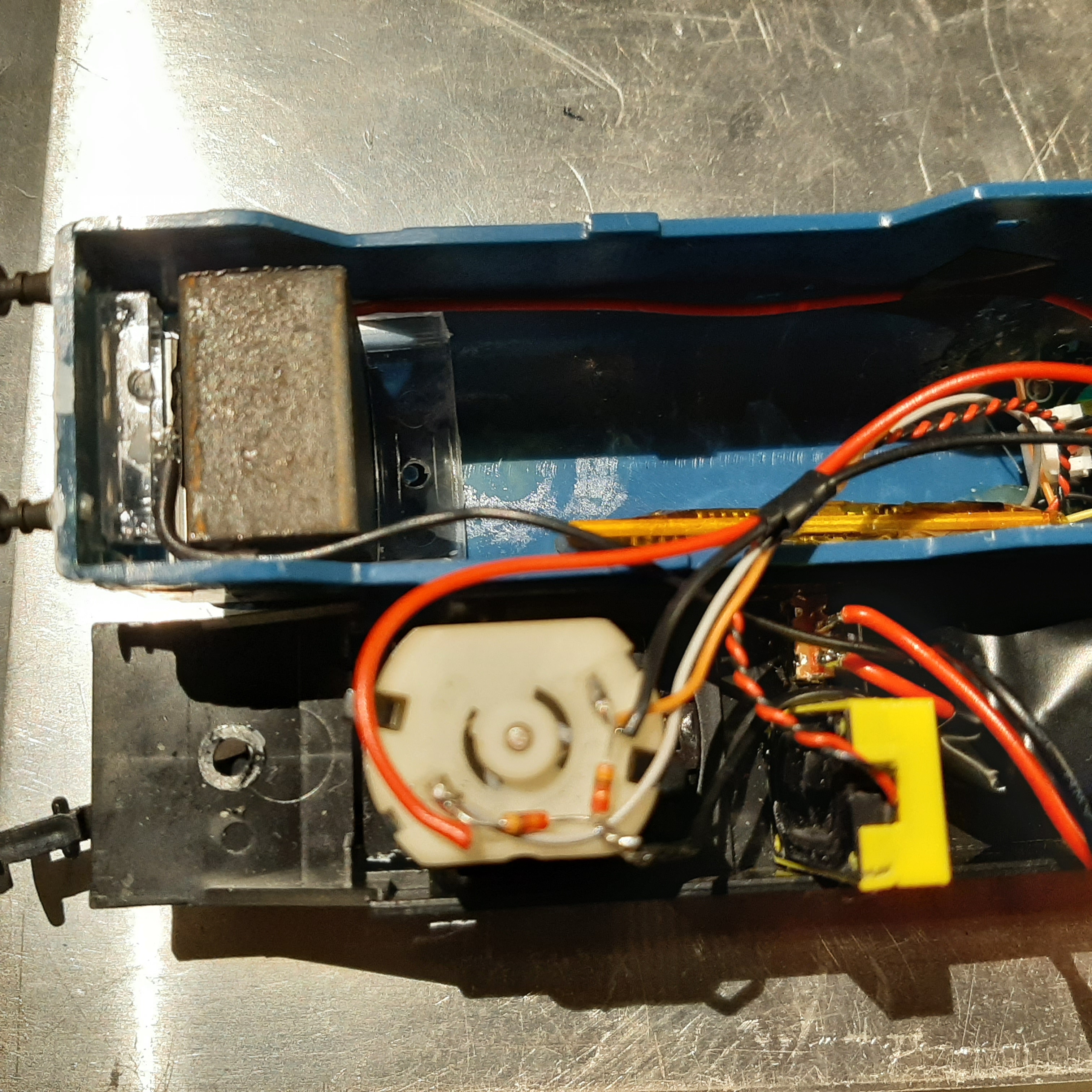
To use it with LocoFi, simply connect the fan motor in parallel with the trains drive motor. Just make sure and test/measure current draw before, so you don’t exeed the current available from the LocoFi driver.
The fan motor is very tiny so there should not be a problem to drive both motors, but test first to be sure, all locomotives are different.
I wanted the smoke heater unit to turn off completely when standing still, to not waste
power from the small on board LiPo battery. And too avoid heat build up with the fan standing still.
So how do we manage that with the light control outputs used for the front/rear lights?
The idea came up to use a NMOS low side driver with two diodes from the
driver motor. Any direction of the train motor will get a positive enough output to drive the NMOS.
So a standing train will cut out the current to the smoke units heater.
To get somewhat dynamic smoke, the fan motor will increase with train speed and in turn generate
more intense smoke. This looks really good in real life, becuse the increasing fan speed also thins out the smoke very realistically, very much like a real diesel engine would do.
The direction of the fan doesn’t seem to matter, it generates and blows smoke in any rotational direction.
To get enough power for the smoke unit from the 2s 7.2V 850mAh LiPo Battery,
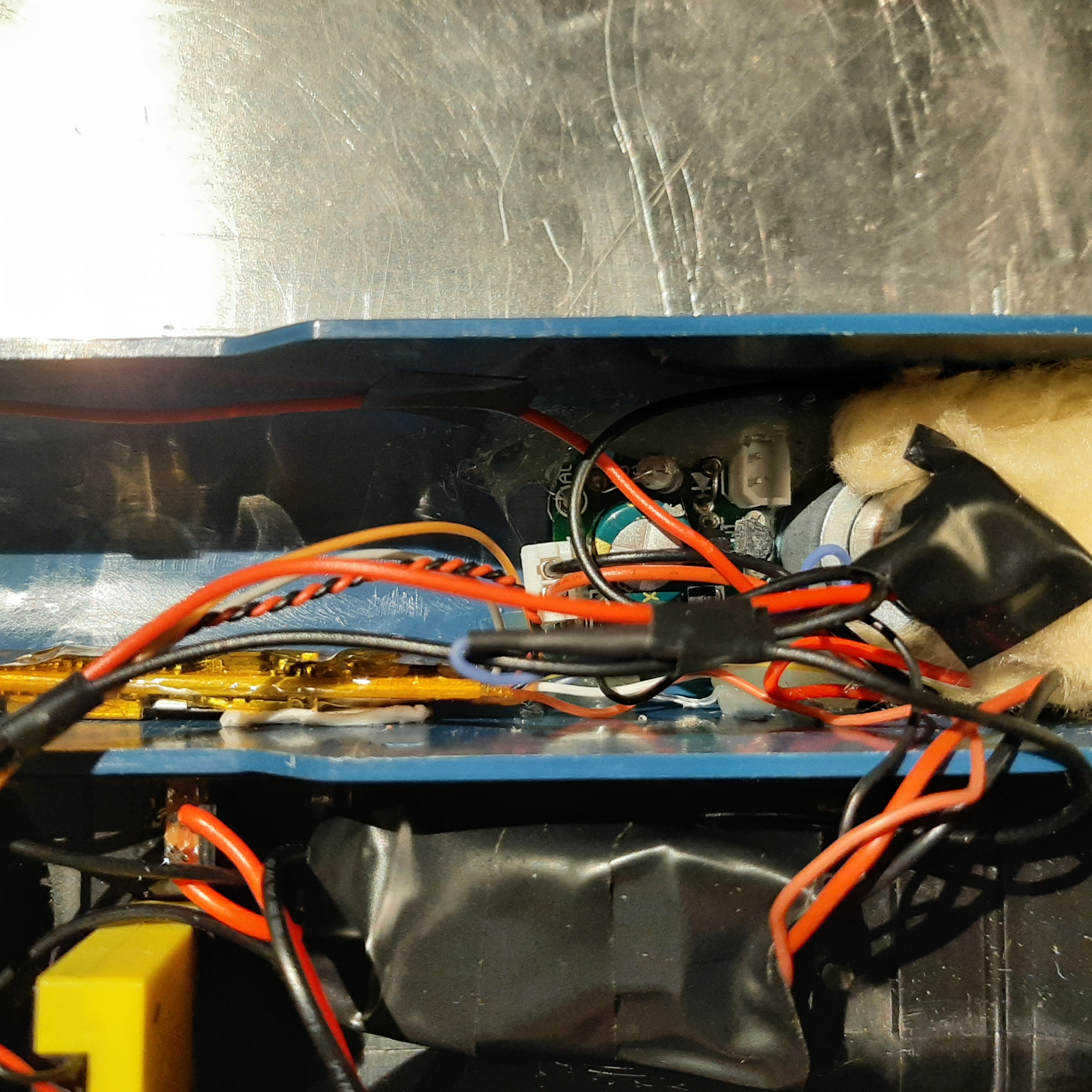
there is a voltage step up converter. This gets the on-board voltage to 10V, enough to get the smoke heater unit to work fine. Of course a 3s battery could be used too. But this was what I had laying arround at the moment. And the loss from the step up converter is very small.
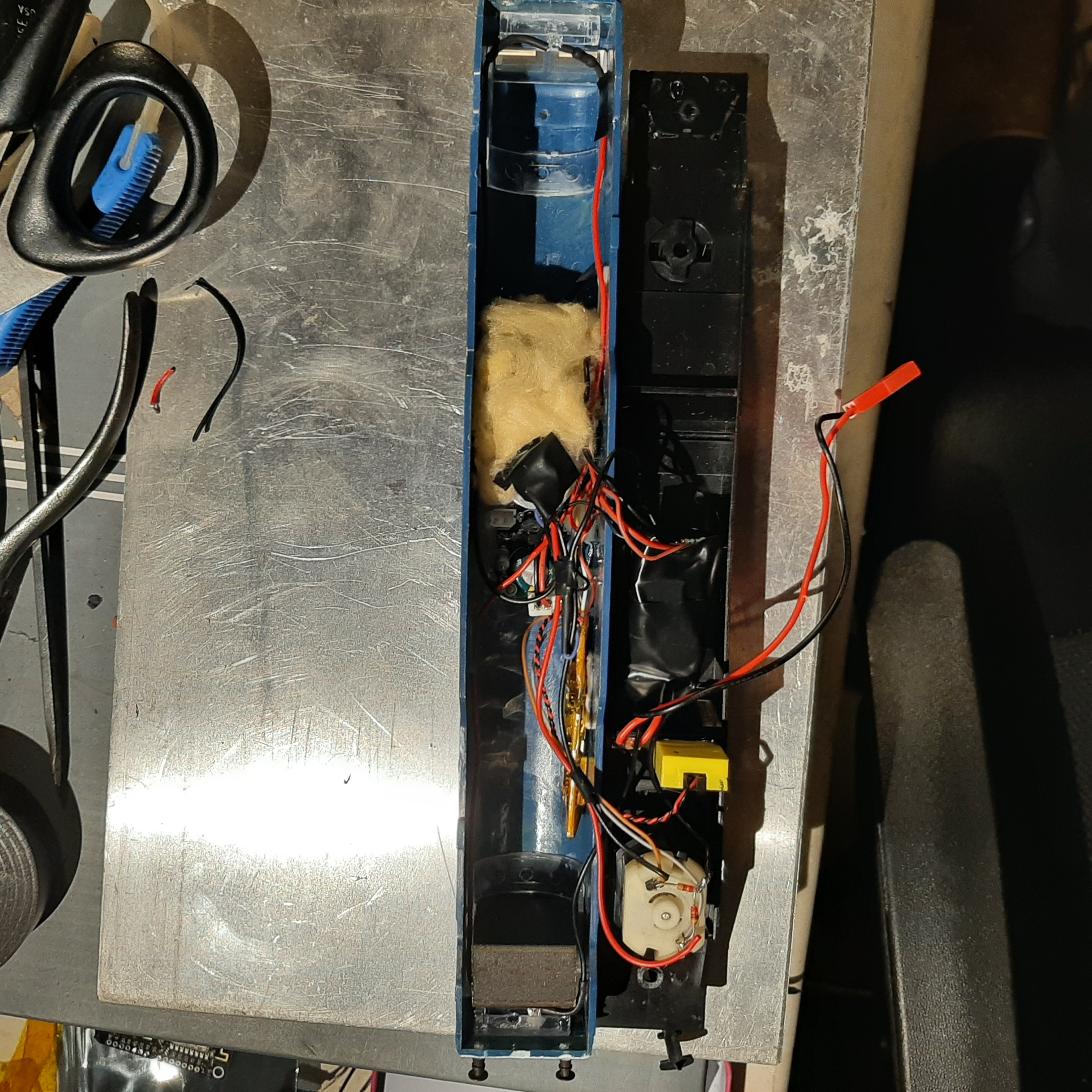
I choose a large simple locomotive to get all the parts to fit inside.
There is still a bit of work to paint and detail the locomotive to look better.
Also some kind of “battery low” varning is needed, it’s very easy to drain the LiPo
to a critical low voltage. That is not good at all for the battery life, and can cause swelling and damage to the cells too.
A small power switch and a balance charging connector is fitted on the underside of the locomotive, so opening of the locomotive for charging can be avoided.
And yes I know, there is better designs for this. This was just a quick “keep it simple” test run for me.
The mosfet might need a cap to smooth out PWM, and yes, I know there should be a pull down resistor on the gate too, but this works and it’s simple in the limited space inside.
Here is the additional parts I used:
-Smoke unit, Proto-Smoke from MTH trains.
-2 diodes (any small silicon diode will do)
-NMOS low side driver (any type with current enough) I used BUK854.
-270k (or about) resistor.
-Step up converter, any cheep china thing from ebay that have current enough will do.
-Small power switch
-LiPo that fits your application, the larger Ah the better!
-Battery connector that fits the battery used
-Thermal insulation mineral/glass wool, or something like it, to insulate the smoke unit a bit. It get’s pretty hot!
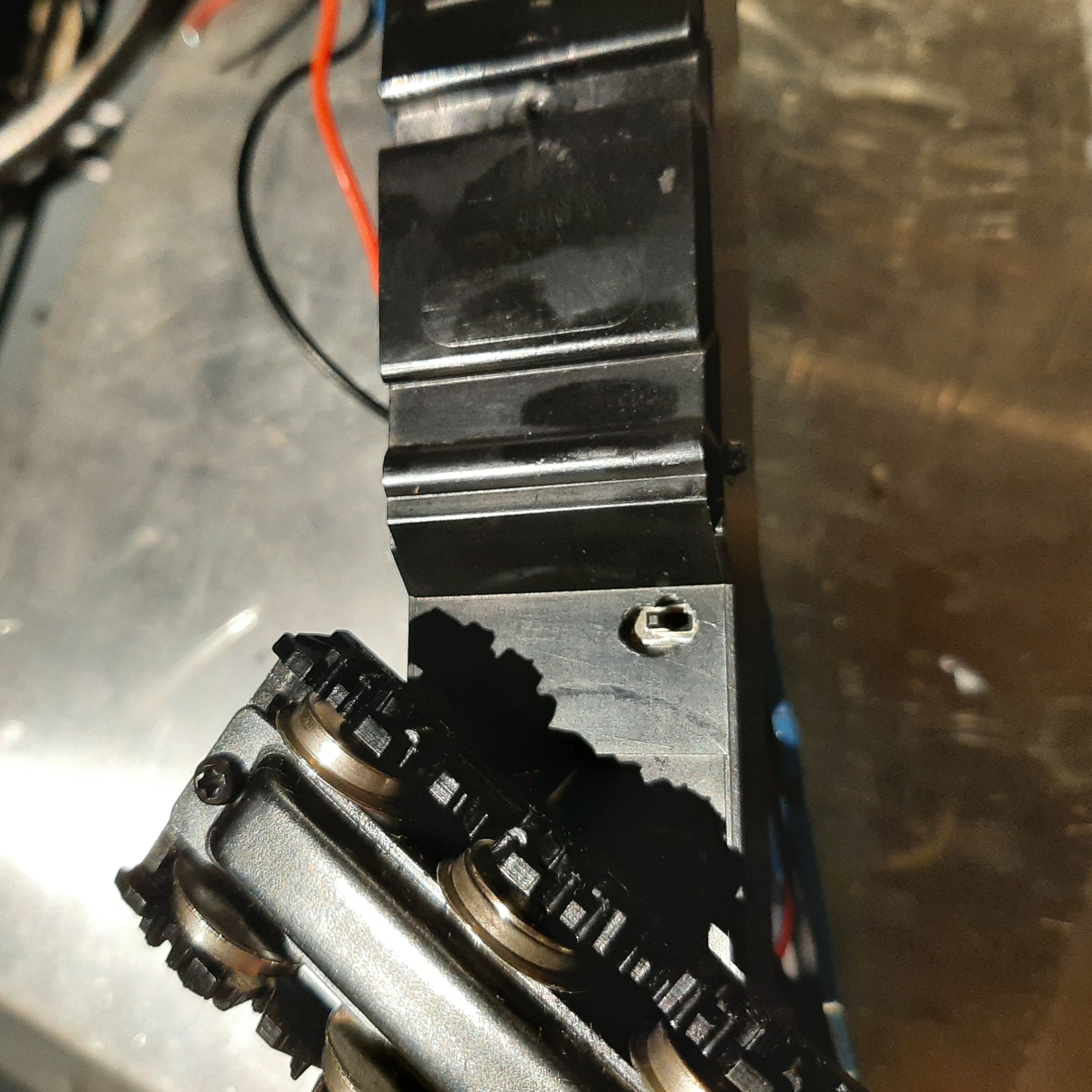
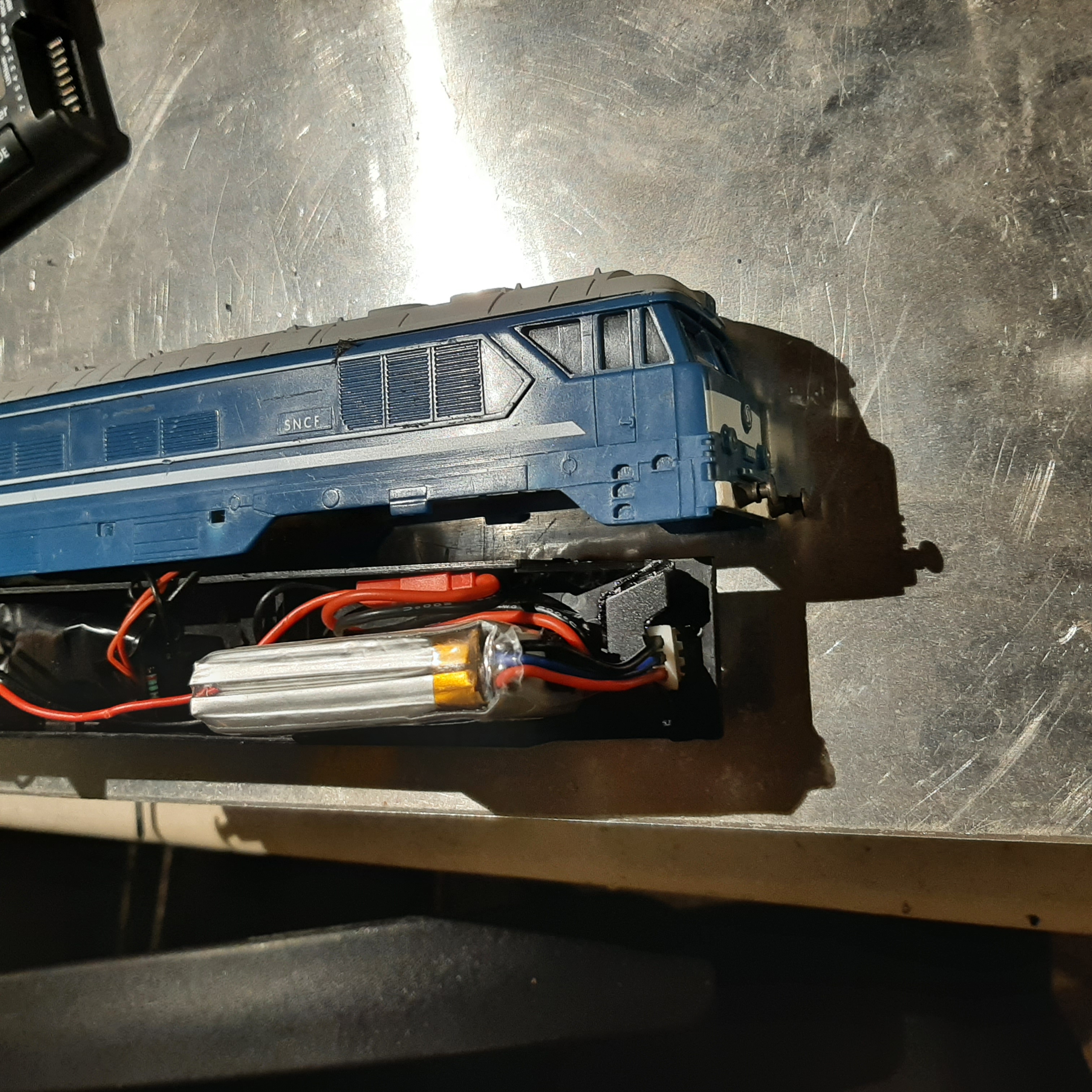
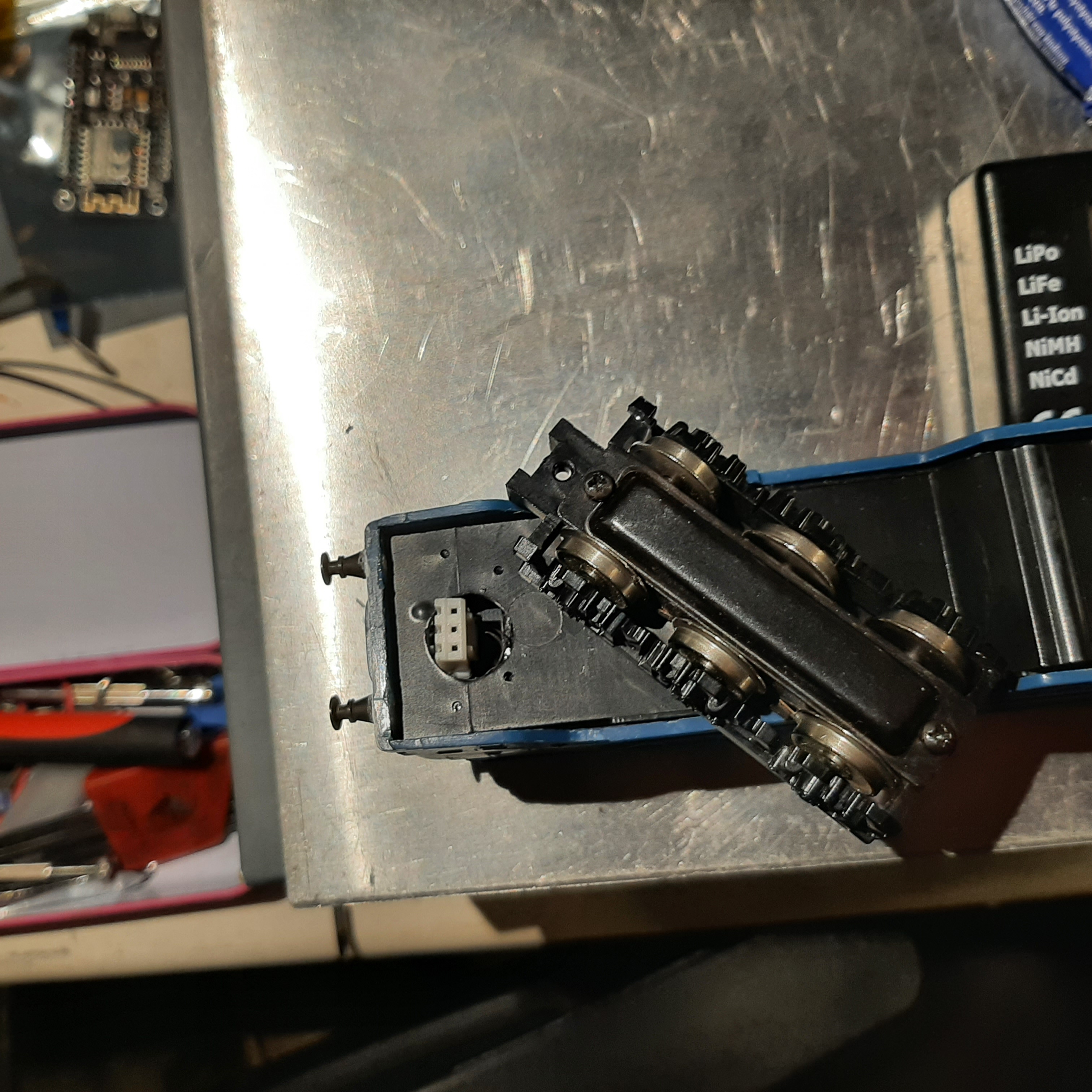
French speaking short film about the real CC70000
https://www.dailymotion.com/video/xc4pck

Wow! That is outstanding! What a treat to watch!
Thank you so much for putting it all together so nicely. This is a one of kind of install. So very well thought out and explained in detail. Incredible! You’ve brought together the best of LocoFi™ combining it with deadrail and using custom sounds. To top it all, you added a smoke unit with fan control too! Simply amazing.
Overall, it all looks very realistic. Great job and thank you for sharing it.
>Just one thought, if the startup or shut down sound sequence is to long, you got a error message in the APP.
Yes. That is correct. There indeed is a 30 sec limit on the sound clips. No particular reason for setting it that way. Now that we are seeing increased use of custom sounds, we can work on fixing it in a future update.
Thank’s for liking it! I can do much better, this was a quick first test.
The locomotive needs a lot of painting and detailing, now it’s “bare bone” looking.
I will upload the soundfiles when I fixed the lenght.
For the LocoFi, it’s just working perfect!
-Exellent stable WiFi connection and coverage.
-Fantastic slow drive characteristics (this locomotive is behaving very bad on normal DC) With LocoFi it is instantly transformed into a crawling queen!
-Easy to use APP with a nice easy to use look and feel.
-Sound and speaker gives very nice results, very good design of baffle, small yet loud.
-Much quicker forkflow compared to DCC, solder it in, start the APP. And go!
I really want the world to know about this product, because with more users out there, a lot more can be achieved. Maybe a PRO version with more outputs, more sounds, and battery voltage feedback with warning in the APP. Then some users might want accessories controlled. This could be made very easy with a generic WiFi module and some output drivers. Controlled from a APP that is standalone, or even better integrated with LocoFi APP.
Now I’m just dreaming away, but imagine a total control of a model railroad from your phone. Enter a route, switches are repositioned, signals change.Trains that cross each other’s paths end up in blocks. It’s hardware related, yes I know. But think what possibilities WiFi and a powerful mobile phone have.
Yes I know that there is products and DIY out there, that can do all this. But it’s not for the faint hearted. Most of them require you to know a lot about IP-adresses and computer related stuff. Taking focus from just simply running model trains.
But so far, I understand all the work to make the current version is a lot!
And I’m so impressed! Thank You to all that have put work into this in your team!
Certainly. We look forward to many more “authentic” runs with all the painting and detailing applied.
Thank you for uploading the sound files. That is very thoughtful of you.
If you found the app user friendly, please consider rating it on Google Play Store.
As for the great ideas, we have already thought about them. It’s just a matter of time before it all materializes.
Thank you for your wishes. You are already helping out by posting your feedback, reviews, sharing sound files and demo videos on this forum. To further help out, please consider sharing about LocoFi™ with your friends and other public groups.
Again, we sincerely thank you for the praise. These words mean a lot to us. It’s this type of regular feedback that keeps us motivated and in fact helped shape an idea into a product that LocoFi™ is today. Looking forward to more “eye pleasing” content.
Here is the latest “add on”, a battery low warning board.
There is no way to tell when the battery get’s critical low, until it’s to late.
So here is a simple cheap way to get a buzzer to sound when my 2sLipo reaches about 6.6V. which can be considered a “safe” level of discharge.
This board can be found on Ebay.
It’ would be very nice to have this in LocoFi in the future, but I don’t think there is any hardware in the LocoFi boards to do this today with only software. But in the future for “dead railers” this is very usefull, especially for larger scales where battery operation is more easy to implement. Because there is more room in the locomotive.
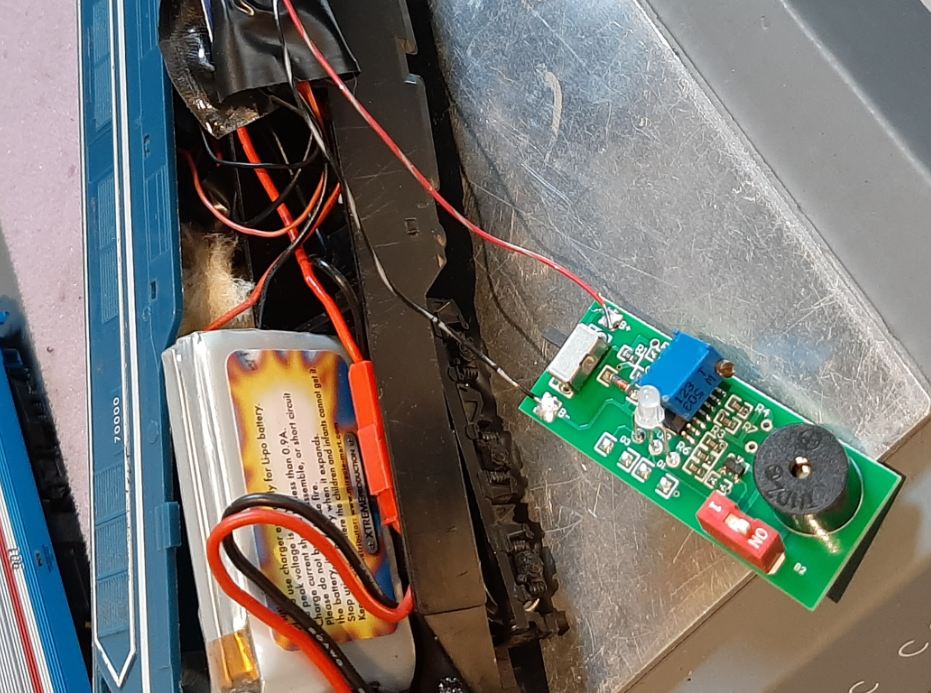
We do hope to add this hardware in a future hardware upgrade. Then, the battery level can even be displayed on the loco throttle dashboard.
This along with features like “auto stop on connection loss” are more “deadrail” specific features that set deadrail (or onboard battery power) apart. Having them available will help further it.
Thank you for sharing!
That would be outstanding!!! ?
I love, love it. Waiting in great anticipation.
Thanks,
Ken
You bet!
